Everything about the Sector Nord AG

Sector Nord AG News & Events


Workshops, Summits and conventions

Events

< January 2025 February 2025 March 2025 >
Sunday Monday Tuesday Wednesday Thursday Friday Saturday


1
2
3
4
5
6
7
8
9
10
11
12
13
14
15
16
17
18
19
20
21
22
23
24
25
26
27
28
 

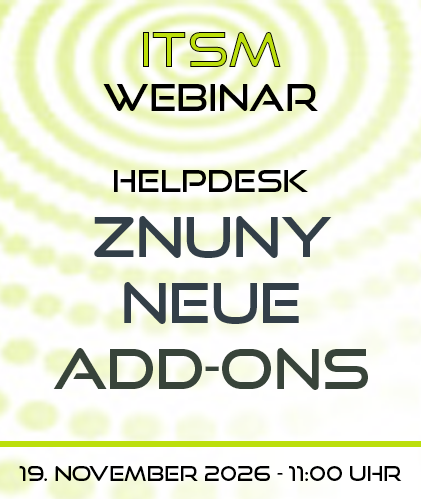
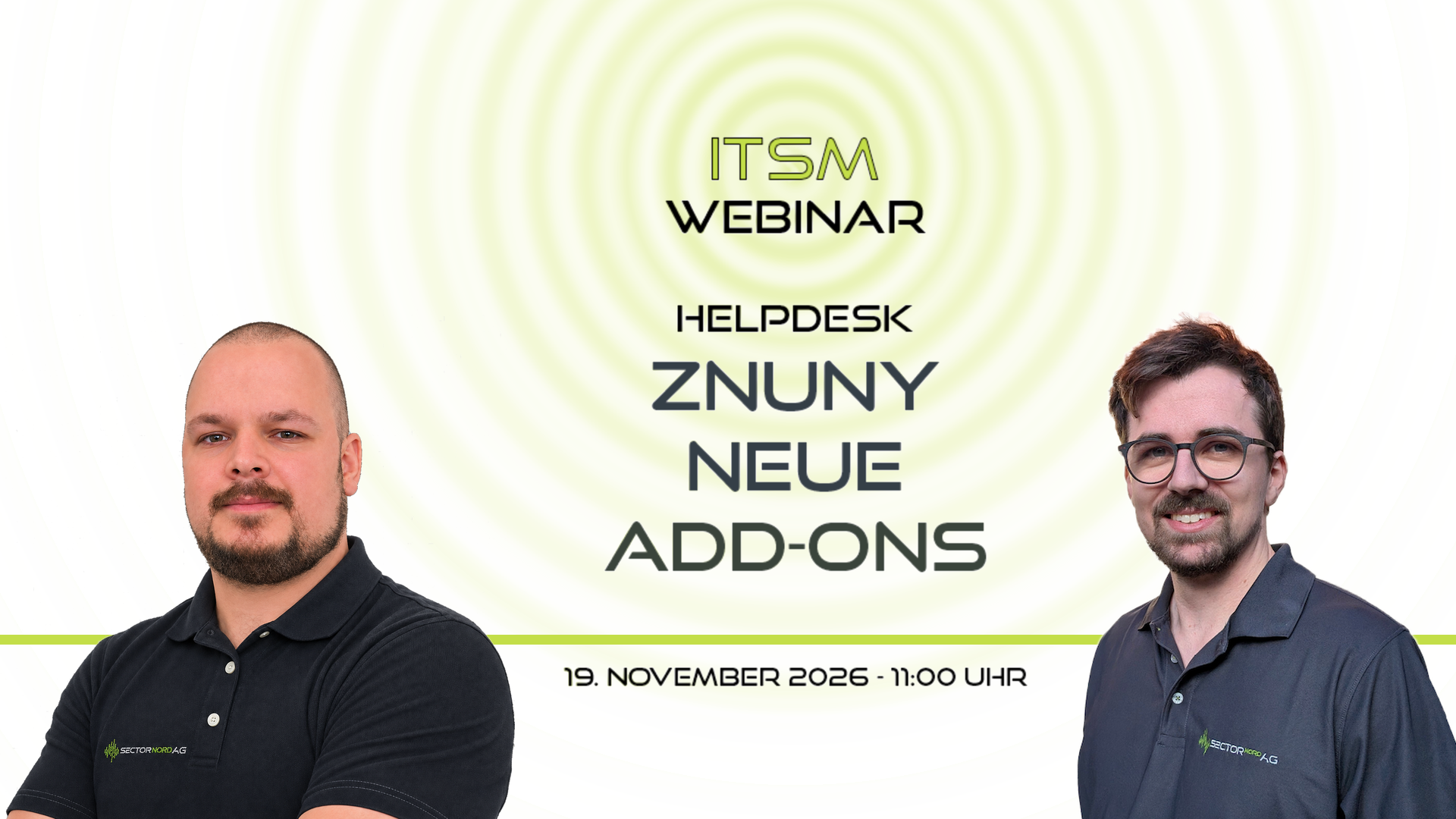
ITSM-Webinar - Neue Znuny-Add-ons > Kanban-Board, ToDoList-Widget, KI-Add-on 7.5...


Live-Demo am 19.11.2026: In 60 Minuten zeigen wir, wie Kanban-Boards, ToDo-Management und künstliche Intelligenz die Ticketbearbeitung in Znuny schneller, übersichtlicher und verbindlicher machen. Kostenfrei und online.

Beschreibung

Tickets stauen sich, Aufgaben gehen zwischen Kollegen verloren und wertvolles Lösungswissen steckt in alten Tickets? Mit drei neuen Add-ons der SECTOR NORD AG holen Sie deutlich mehr aus Ihrem Znuny heraus. In unserem kostenfreien Webinar zeigen wir Ihnen live am System, wie die Add-ons im Service-Alltag zusammenspielen: vom visuellen Arbeiten mit Kanban-Boards über verbindliche ToDos direkt im Ticket bis zur KI, die Tickets analysiert, kategorisiert und passende Lösungen vorschlägt. Keine Folienschlacht, sondern echte Praxis, und Ihre Fragen beantworten wir direkt.

Das erwartet Sie

  • Begrüßung und Einführung
  • Kanban-Board: Tickets per Drag & Drop durch frei definierbare Prozessschritte bewegen. Beim Statuswechsel werden Queue, Besitzer oder Priorität automatisch angepasst. Das Board nutzt die Znuny-Berechtigungen sowie Prozessmanagement und TransitionActions.
  • ToDoList-Widget: Aufgaben direkt im Ticket anlegen, Verantwortliche zuweisen, Prioritäten und Fälligkeiten setzen. Vorlagen sorgen bei Onboarding, Incidents oder Changes dafür, dass kein Arbeitsschritt vergessen wird. Eine persönliche Übersicht zeigt alle eigenen ToDos ticketübergreifend.
  • KI-Add-on 7.5: Chatbot und semantische Suche auf Basis Ihrer eigenen Tickets, FAQs und Dokumente, Antwortvorschläge sowie KI-Agenten, die Tickets automatisch routen, priorisieren und kategorisieren. Neu in Version 7.5: Audio-Transkription, verbesserte KI-Bildanalyse für die Wissensdatenbank und Ticket-Cluster-Graphen, die häufige Themen sichtbar machen.
  • Fragen, Antworten und Ausblick

Ihre Referenten

Unsere drei Referenten führen gemeinsam durch alle Themen:

  • Jannik Ross, Senior Developer
  • Matthias Bouws, Senior Consultant
  • Marco Hömmen, Junior Consultant

Für wen ist das Webinar?

  • Leitungen von Service Desk, Support und IT
  • Znuny-Administratorinnen und -Administratoren
  • Prozessverantwortliche im IT-Service-Management
  • Unternehmen, die Znuny bereits nutzen oder den Umstieg prüfen

Ihr Nutzen

  • Mehr Überblick über Status und Engpässe im Team
  • Weniger vergessene Aufgaben und mehr Verbindlichkeit
  • Schnellere Lösungen durch sofort verfügbares Wissen
  • Weniger Routinearbeit durch Automatisierung
  • Datenhoheit: Das KI-Add-on läuft auf Wunsch vollständig in Ihrer eigenen Infrastruktur oder Private Cloud

Hinweis: Das KI-Add-on setzt Znuny 7.x voraus. Beim Upgrade älterer Versionen unterstützen wir Sie gern.

Organisatorisches

  • Termin: Donnerstag, 19. November 2026, 11:00 Uhr - 12:00 Uhr
  • Ort: online über Microsoft Teams, Teilnahme per Browser oder Teams-App
  • Kosten: kostenfrei
  • Aufzeichnung: Das Webinar wird, sofern alle TeilnehmerInnen einverstanden sind, aufgezeichnet. Wer am 19.11. verhindert ist, meldet sich trotzdem an und erhält die Aufzeichnung im Anschluss.
  • Anmeldung: über den Button unten; den Zugangslink erhalten Sie nach der Registrierung
  • Fragen vorab: gern an vertrieb@sectornord.de oder +49 441 390 1010 40

Znuny Webinar am 19.11.2026 - Neue Add-ons - Referenten Marco Hömmen und Jannik Ross

Wir freuen uns auf Sie!


Current tips & news

News


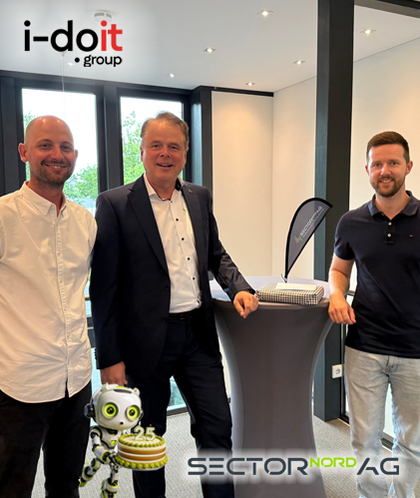
i-doit says congratulations!

Stefan Schäfer extends his heartfelt thanks to Rafael Winkler (pictured left) and Fabian Wolff (pictured right) for their visit to Oldenburg and for their kind gesture in honor of SECTOR NORD AG’s 25th anniversary.

We greatly value our partnership and look forward to our next milestones together and to many more years filled with innovation, teamwork, and shared successes!

Znuny AI Add-on 7.4.0 - More efficient workflows. Faster processing. Higher service quality.

How much time does your support team waste every day due to typical system limitations?

With the new Znuny AI Add-on (Release 7.4.0) we’re putting an end to this tedious daily support routine.

We’ve integrated the AI with your system via a smart n8n connection in a way that eliminates exactly these time-consuming tasks.

Plan your next Zammad project with us!

SECTOR NORD AG provides comprehensive support in setting up your Zammad ticketing environment.

From consulting and design to implementation and migration, as well as training and support, we stand by your side as an experienced ITSM partner—ensuring the successful and sustainable use of Zammad in your service operations.

Our Zammad services and corresponding support are identical to our services for Znuny!

Critical Linux Vulnerability "Copy Fail"

A newly discovered security vulnerability ("Copy Fail", CVE-2026-31431) affects nearly all Linux distributions. The vulnerability allows local attackers to gain root privileges with minimal effort.
We can assist you in addressing this security vulnerability. Please feel free to contact us.

Related URLs:

Girls’ Day – Future Day 2026

On April 23, we gave Henriette the opportunity to get to know SECTOR NORD AG as part of the Girls’Days / Future Days 2026 we gave Henriette the opportunity to get to know SECTOR NORD AG. She gained an exciting insight into the working world of a modern IT company.

The day offered her a great opportunity to ask questions, gain practical insights, and take away new ideas for her own professional future.

Best practice

Tip of the Month

ITSM Tip of the month

(comments: 0)

Own $USERX$ macros for SNAG-View 3

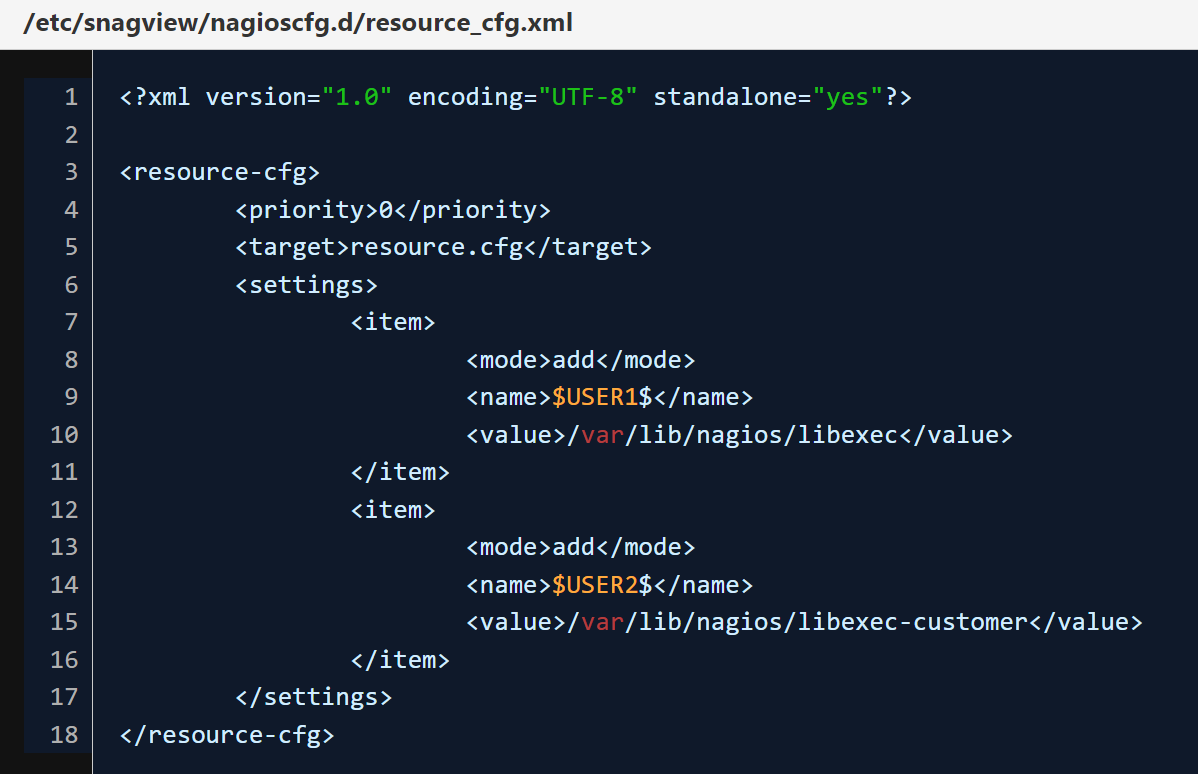
Additional placeholders for the path to plugins ($USERXXX$) can be integrated very easily in SNAG-View. The following steps are necessary for this:

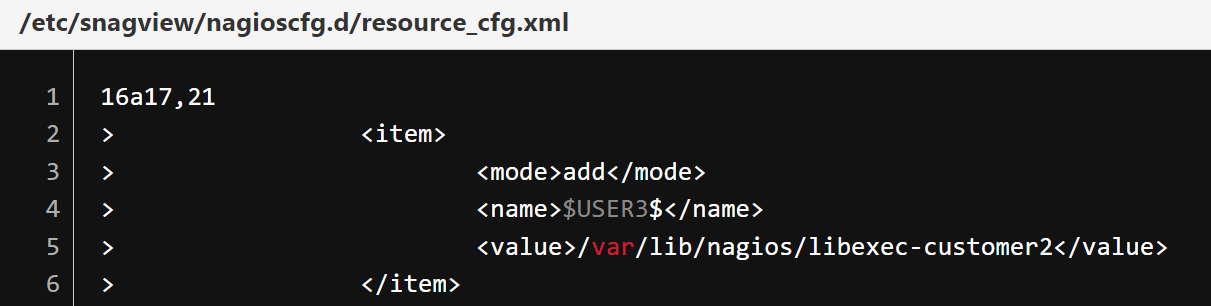
A new <item> entry must be created in the "resource_cfg.xml".

Note: Be careful not to change or delete existing <item> entries.

Anpassen der

Example:

Beispiel $User3$

We currently ship two predefined macros: "$USER1$ and $USER2$". After the change, the macro $USER3$ is available for the path /var/lib/nagios/libexec-customer2.

The script "/usr/bin/createNagiosCfg.sh" is then executed, so that the configuration is saved and saved in the resource.cfg.


Read more …

archive

Tips of the month overview.