
Netzwerkdiscovery
NeDi
Was ist NeDi?
NeDi ist eine OpenSource Netzwerk-Discovery, -Management und Inventarisierungs-Software! NeDi entdeckt, kartiert und inventarisiert Ihre Netzwerkgeräte und verfolgt verbundene Endknoten. Es enthält zahlreiche Funktionen in einer benutzerfreundlichen GUI für die Verwaltung von Unternehmensnetzwerken.
Beispiele: MAC-Adresszuordnung/-verfolgung, Traffic- und Fehlerdiagramme, Überwachung der Betriebszeit, Korrelation von gesammelten Syslog- und Trap-Meldungen mit anpassbaren Benachrichtigungen, Erstellung von Netzwerkplänen, umfangreiche Berichtsfunktionen wie Gerätesoftware, PoE-Nutzung, deaktivierte Schnittstellen, Verbindungsfehler, Switch-Nutzung und vieles mehr.
Die modulare Architektur ermöglicht eine einfache Integration mit anderen Tools. NeDi ist zentraler Baustein unseres ITSM-Connectors!


Gold Partner
Die Sector Nord AG ist NeDi Partner der ersten Stunde. Das NeDi Webinterface ist seit der Version 2.5 in die SNAG-View Oberfläche integriert und leistet dort ausgezeichnete Arbeit bei der Untersuchung und Überwachung der Netzwerke der SNAG-View Kunden.
Von der engen Zusammenarbeit beider Projekte und der langjährigen Partnerschaft mit Remo Rickli profitieren SNAG-View Kunden auch direkt. Sie können die Pro-Version von NeDi nutzen, die zahlreiche Mehrwerte gegenüber der OpenSource Variante bietet.
Screenshots
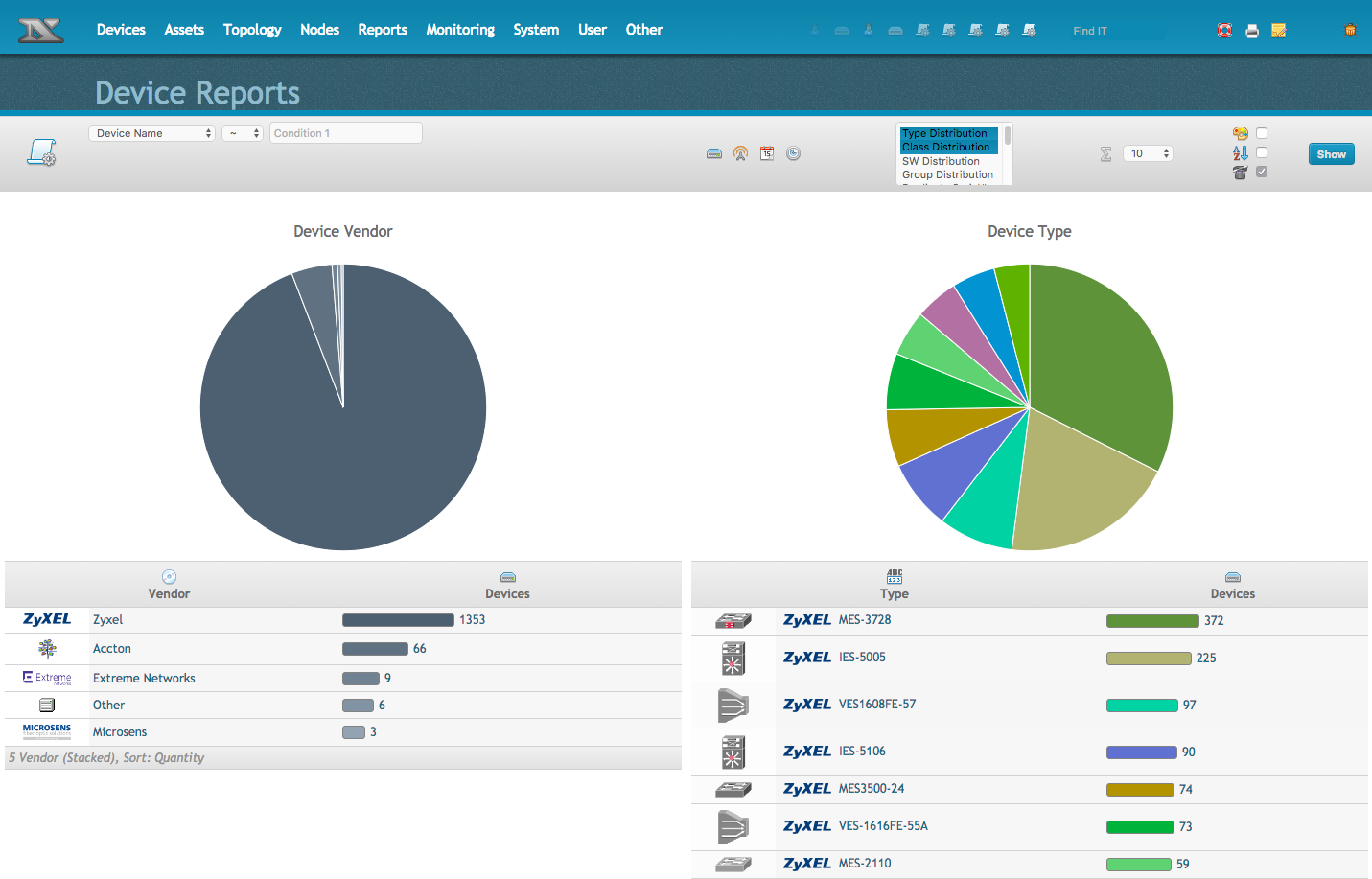
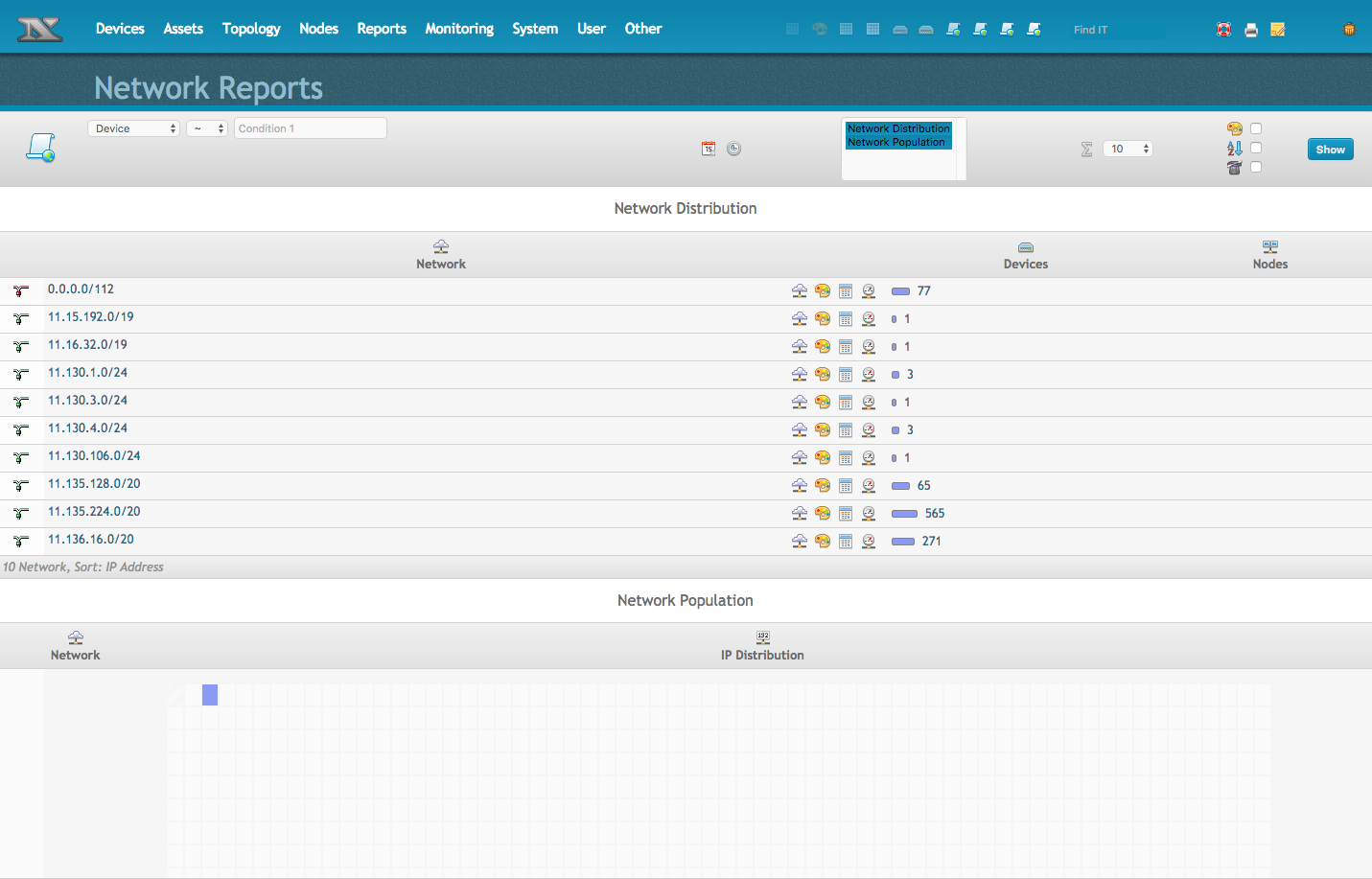
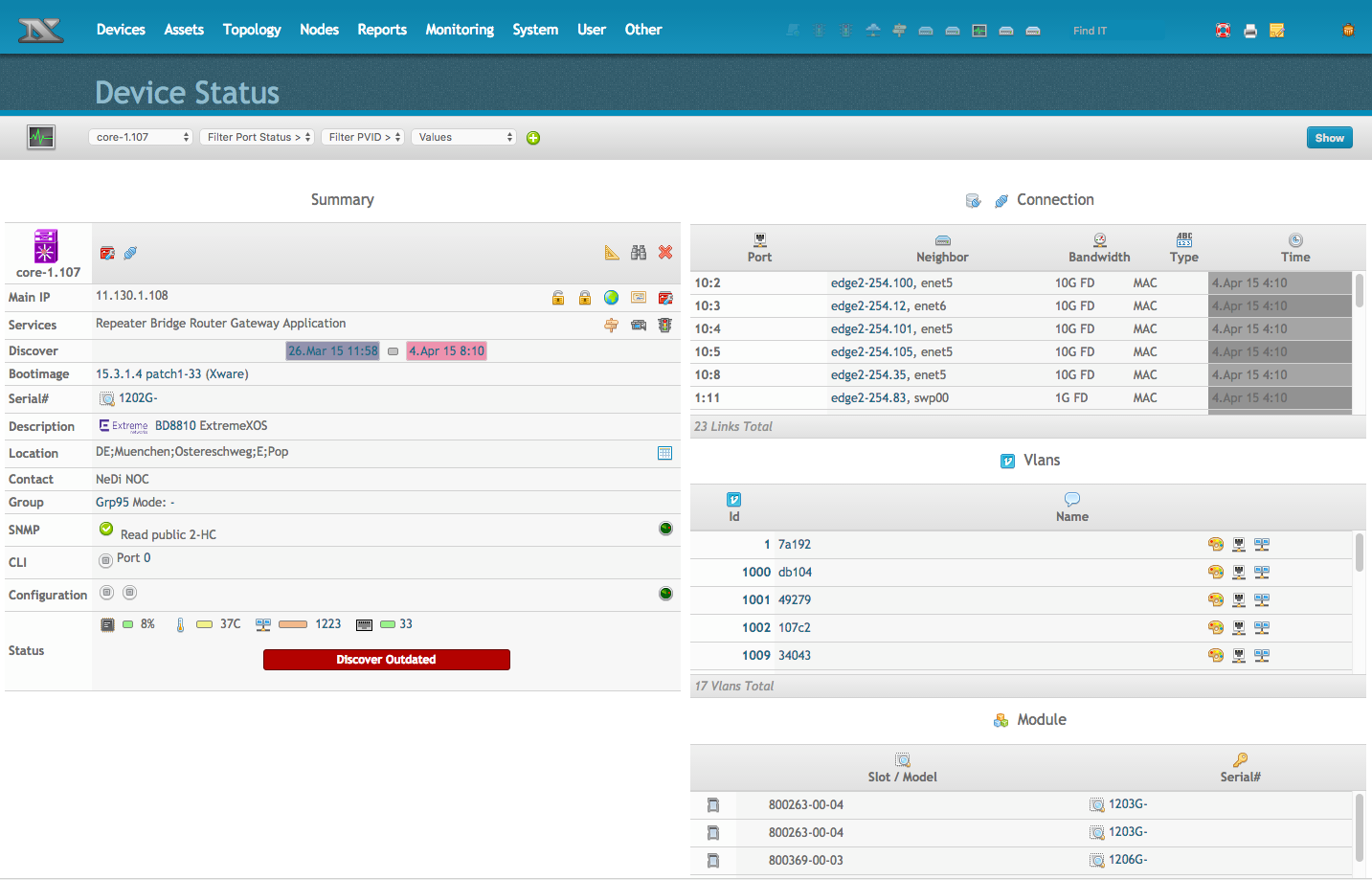
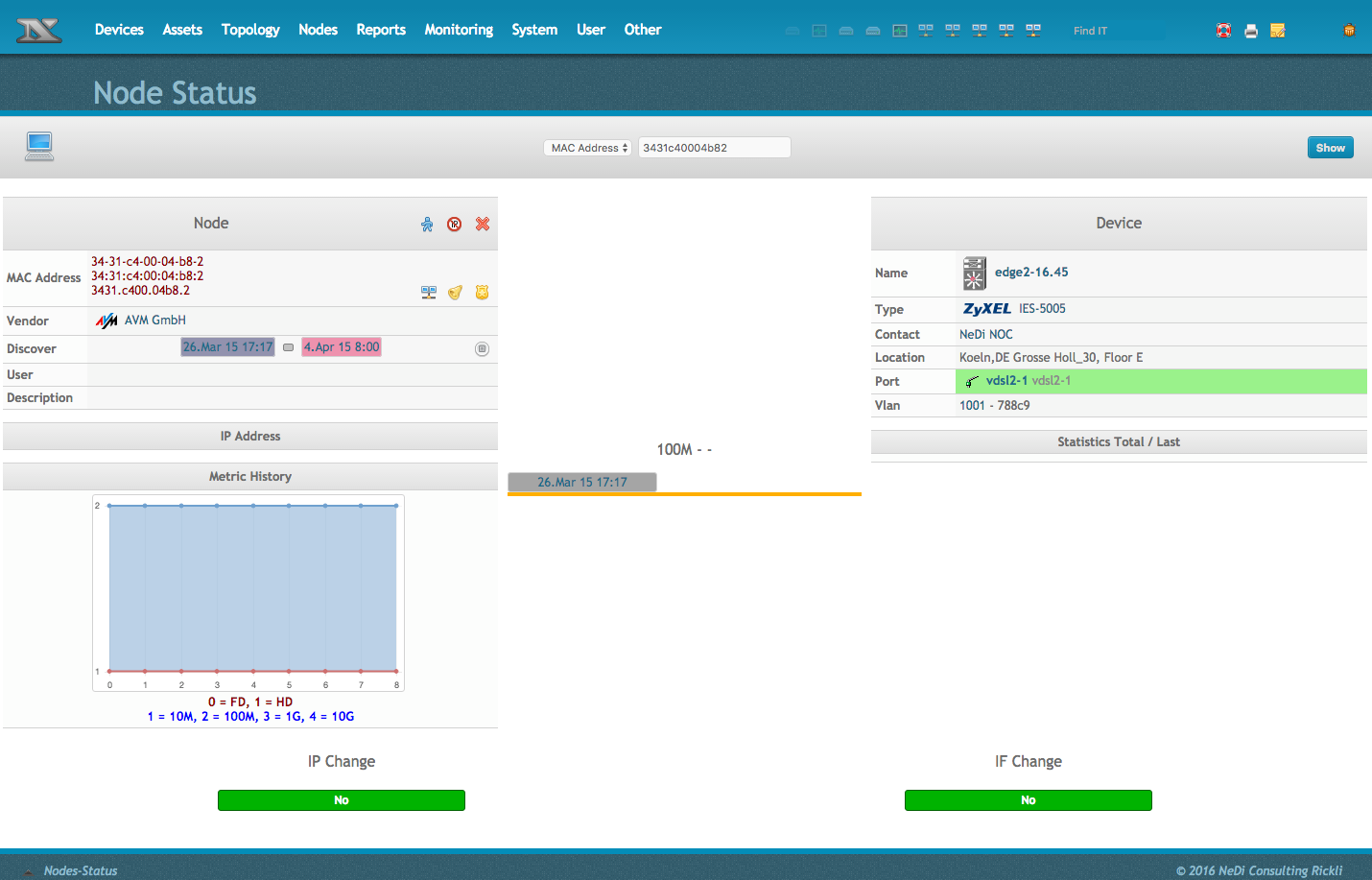
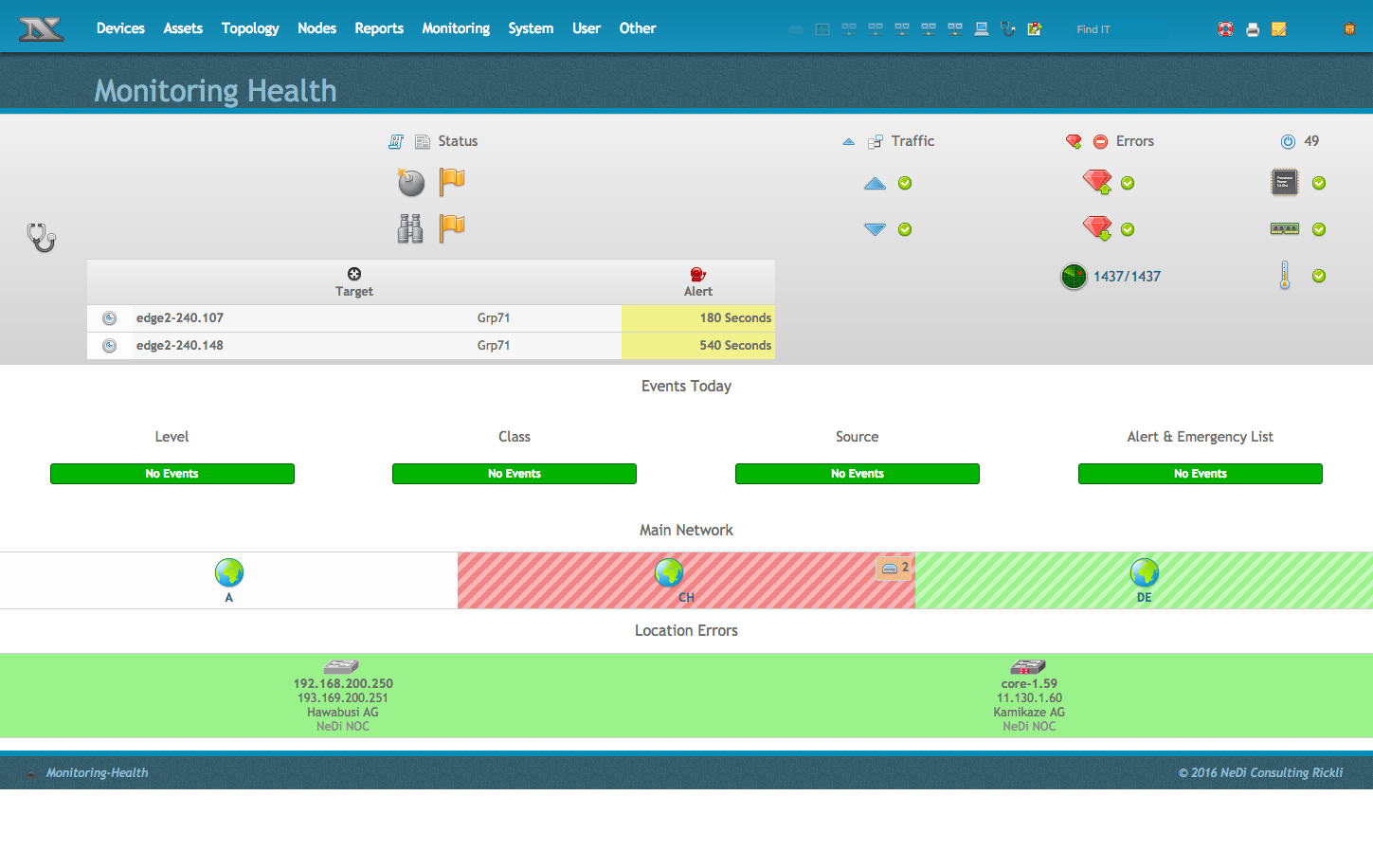
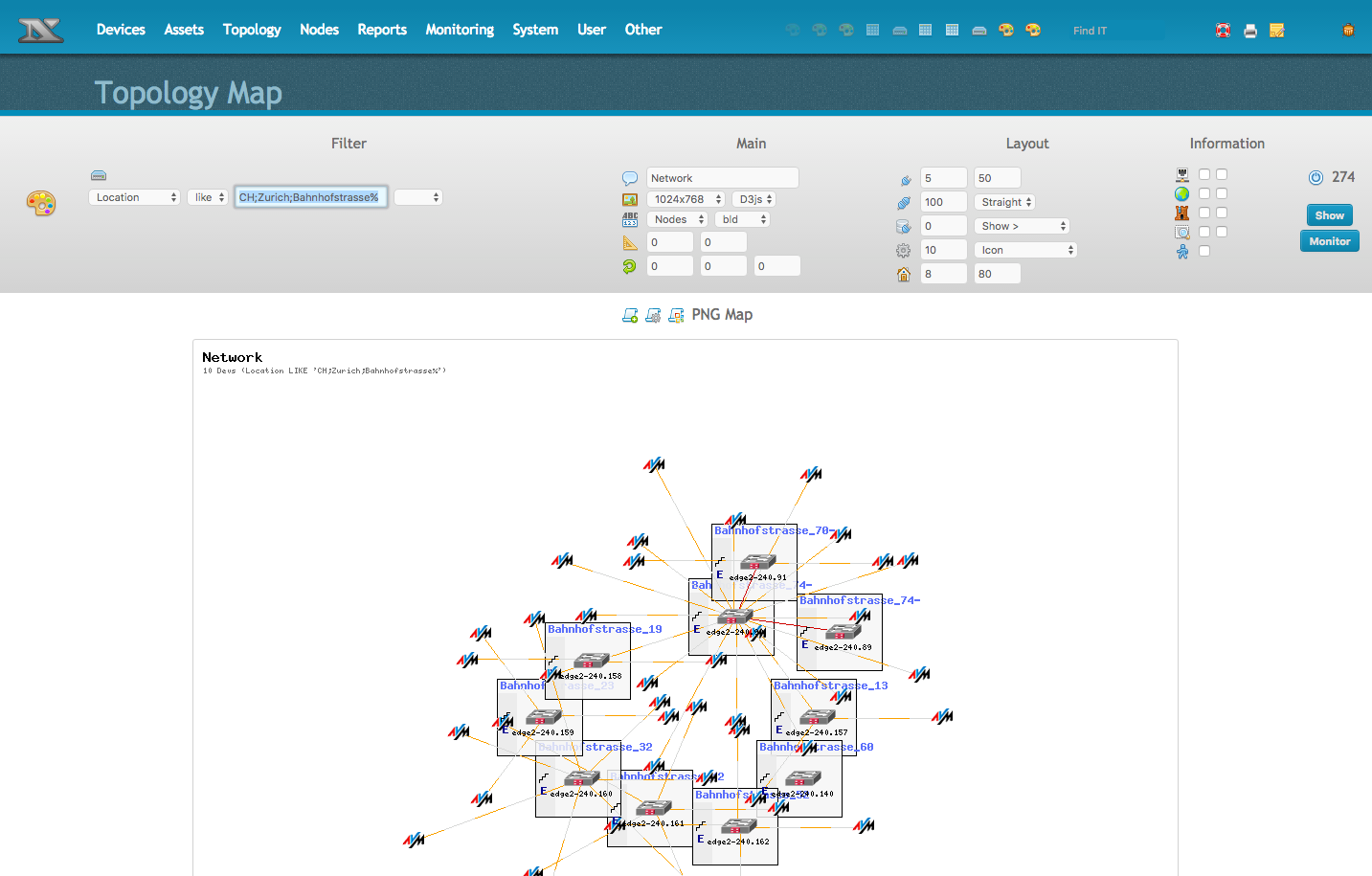
Webinar über NeDi und das i-doit pro NeDi Add-on
Aufzeichnung vom 06.05.2026
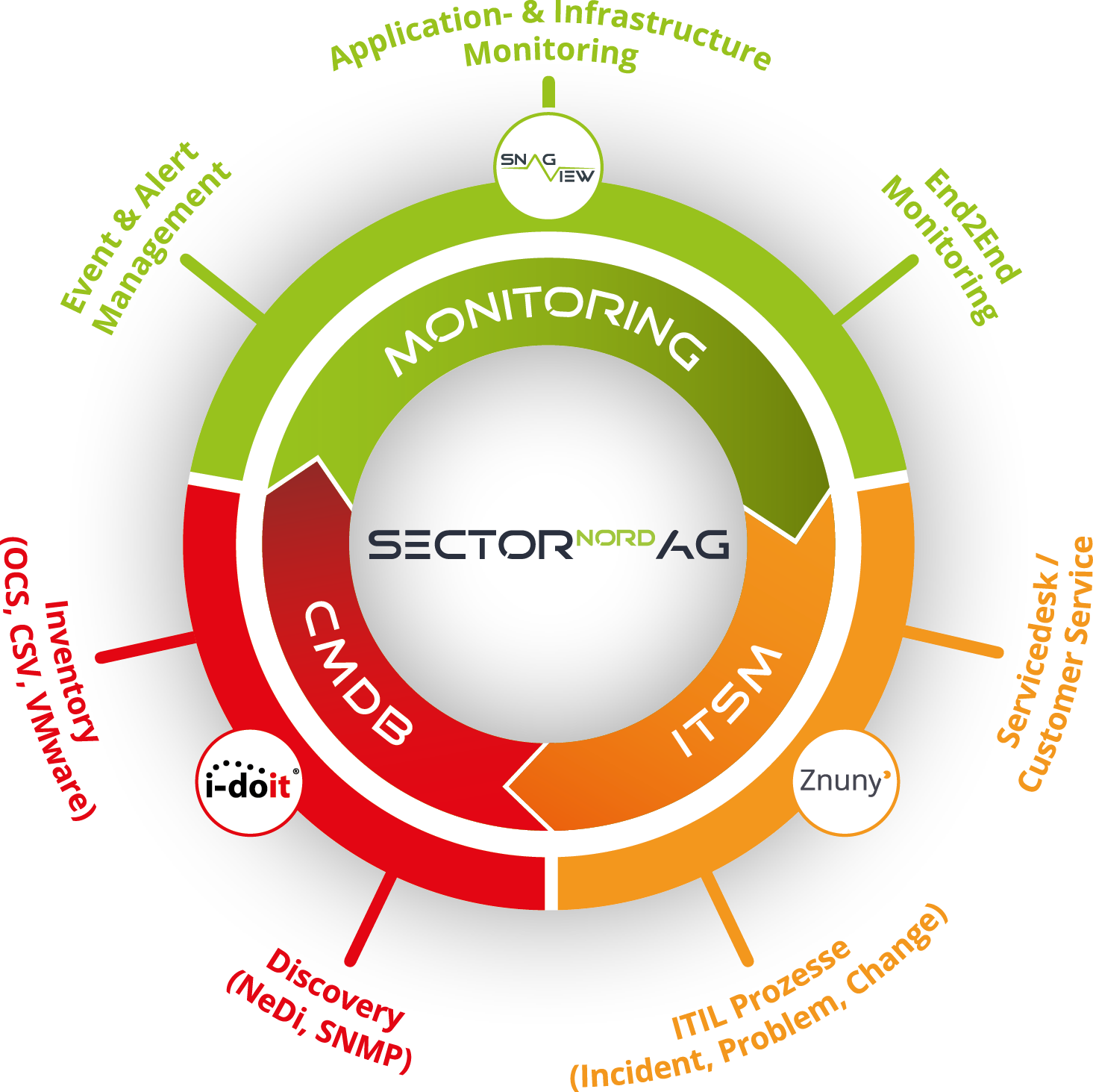
ITSM-Connector
NeDi - Netzwerkdiscovery
NeDi wird im ITSM-Connector genutzt um automatische Inventarisierungen durchzuführen um somit die anderen Lösungen mit Daten über Geräte aus dem Netzwerk zu befüllen.
ITSM-ConnectorSupport-Preise
NeDi - Support
NeDi Support
€ 119 monatl.
Basic
Details Basic-SupportNeDi Support
€ 359 monatl.
Advanced
Details Advanced-SupportNeDi Support
€ 599 monatl.
Professional
Details Professional-SupportNeDi
Changelog

# NeDi - 2.6.026
==============
Release date 01-02-2026
----------------------------
Introduction/Einführung
------------
NeDi entdeckt, kartiert und inventarisiert Ihre Netzwerkgeräte und verfolgt verbundene Endknoten.
Es enthält zahlreiche Funktionen in einer benutzerfreundlichen GUI für die Verwaltung von Unternehmensnetzwerken.
Beispiele: MAC-Adresszuordnung/-verfolgung, Traffic- und Fehlerdiagramme, Überwachung der Betriebszeit,
Korrelation von gesammelten Syslog- und Trap-Meldungen mit anpassbaren Benachrichtigungen, Erstellung von
Netzwerkplänen, umfangreiche Berichtsfunktionen wie Gerätesoftware, PoE-Nutzung, deaktivierte
Schnittstellen, Verbindungsfehler, Switch-Nutzung und vieles mehr. Die modulare Architektur ermöglicht eine
einfache Integration mit anderen Tools. Beispielsweise können Cacti-Diagramme ausschließlich auf der Grundlage
der ermittelten Informationen erstellt werden. Dank der Vielseitigkeit von NeDi können auch Dinge wie Druckerressourcen
überwacht werden...
Changes from 2.5.025
--------------------
Discovery & Monitoring:
- Added contributions to improve Vlan discovery
- Added XCloudIQ OS for new Extreme Wing controller series
- Added Windows11 recognition (LLDW) and optimized it for Windows10 (now LLDX).
- Added INSERT IGNORE option (-J) for writing devices to avoid abort on duplicates
- Added interface status notPresent to discovery to identify empty SFP slots or unconfigured Portchannels for example
- Changed contrib/nedi_db_maintenance.sh to use dbnedi user (was root)
- Changed nedi.conf's arppoison behaviour to be used if 0 is set in DB (used as default previousely).
- Changed poe & poealloc fields to MEDIUMINT (integer for Pg) as some PoE switches deliver more than 65W
- Improved many Def files for accuracy
- Improved API to force all MAC addresses to be returned as string
- Improved behaviour upon writing duplicate devices (can happen with parallel discoveries)
- Improved run and startup configuration verification resulting in new acknowledged state
- Removed Mikrotik workaround to mitigate incomplete MAC address table, since they fixed it now.
- Updated vendorinfo (EoL) data and removed entries with end of sale < 2008
- Updated some Defs (compare newest ones with previous versions upon unexpected behaviour)
- Fixed & Updated EoL information
GUI:
- Improved SN Inventory check info
- Improved Other-Defed OS selection
- Improved Devices-Status.php to show login on NoDi devices for admins
- Improved Assets-Locations to only show Geo map option with static map method configured
- Improved monitoring status depiction whith sub-tests (like interface status) to align with map display
- Added uptime filter in Monitoring-Setup
- Added user info to Assets-Vendor for improved EoL management
- Added Reports-Asset module to help with lifecycle management
- Added event class filter to Monitoring-Events for ease of use
- Added TLS flag switch for ldaps. Check included nedi.conf for usage
- Added new Devices-Interfaces setting to ignore interface status events
- Added Log in Devices-Interfaces (for tracking nodes and status changes)
- Added interface edit indicator in Devices-Status and Devices-Interfaces
- Added Wireless option to Topology-Table to show locations only containing APs
- Added shortcut to Assets-List in Assets-Management for certain filtered lists
- Added "Duplicate Vendor Values" query to System-Database, execute maintenance
- Added link to the PoE Device-Report in the Total-PoE widget of Monitoring-Health
- Added interface edit shortcut in Monitoring-Setup, when interface status is monitored
- Added state Reserved to assets (allocated cables are now reserved and a new allocated option is available)
- Changed city shapes in maps from purple to sienna color
- Changed sanitization removed special characters (like `)
- Changed traffic statistics > bandwidth to show calculated value
- Changed Report-Modules Inventory to Discover to avoid confusion with new asset reports
- Changed Report-Interfaces PoE Statistics to show a red bar on average PoE > 15W instead of 7W
- Changed nedi-syslog to listen to port 514 and updated System-Services accordingly (restart no longer possible due to permissions)
- Fixed some issues and Improved Devices-Translator
- Fixed html in configs being rendered instead of shown as is
- Fixed System-Database CSV export IP and timestamp optimization
- Fixed context menu visibility in the rackview of Topology-Table
- Fixed city icons in Topology-Table when "Icon Small" is selected, updated context help
- Fixed Monitoring-Health link to broken non-SNMP targets (takes you to Devices-Status now)
- Fixed a bug in the API where MAC addresses were interpreted as numbers in scientific notation
- Fixed System-Database URI with quotes arguemnt when added as admin notice and messy CSV output with column titles enabled.
- The greyhound theme is back! Elegant and easy on the eyes
- Many smaller bug fixes and optimizations
nedi.conf:
Add the following line to enable asset reports in the menu:
module Reports Asset dstp mgr
Important!
==========
- Make sure you have the DB updated with NeDi 2.4 (or is initialized with NeDi 2.5) before updating NeDi to 2.6!
- If using LDAP check nedi.conf for additional TLS switch after port!
Weitere Informationen erhalten Sie auf nedi.ch